

iPad Pro Series (Legacy)

- Remove any iCloud accounts on device before proceeding
- Removing demo mode will reset device
You will need:
- PC with current version of iTunes (required)
- Lightning Cable
- Power down device
- Press & hold the Home button
- While holding the Home button, plug into PC
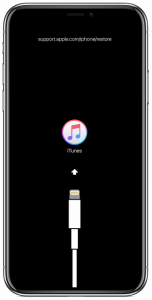
- Continue to hold Home button until you see the recovery screen pictured below
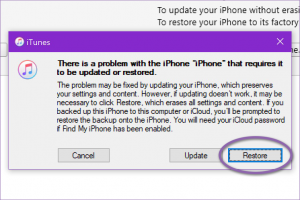
- Open iTunes
- A popup appears. Choose “Restore”
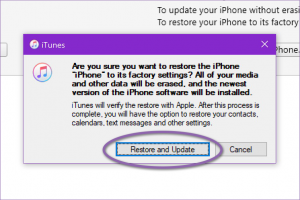
- Choose “Restore and Update”
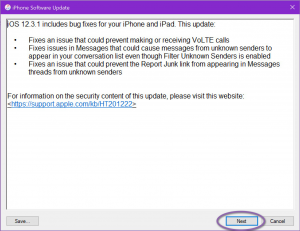
- Choose “Next”
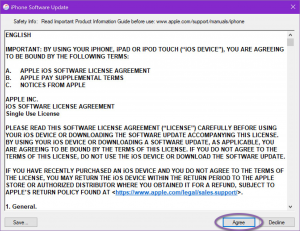
- Choose “Agree”
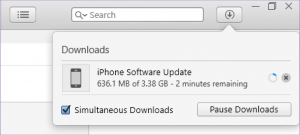
- iTunes will begin downloading the appropriate iOS software for your device. You can view the progress by clicking the download button

The iPad may reboot while waiting for iTunes to finish the download. If this happens, wait for the download to finish then disconnect the device and start over.
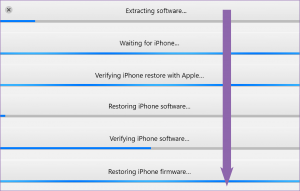
- When the download is complete, iTunes will begin flashing the device. It will proceed through several steps
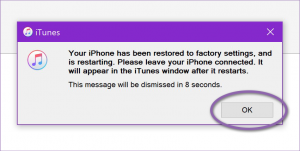
- When finished you’ll get this message!
- REMEMBER! Occasionally the iPad will reboot when in Recovery mode too long. If this occurs, wait for the iTunes download to complete, then restart the process. This is normal when waiting for large downloads